

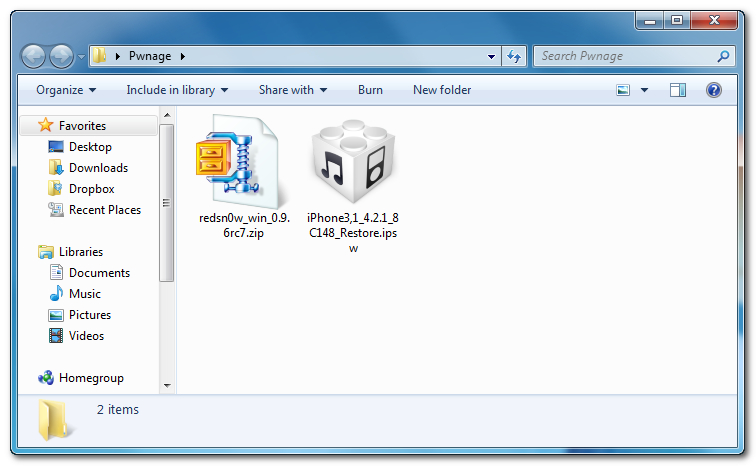
Kreirajte Pwnage folder na desktopu vašeg računala i u njega smjestite sljedeće:
● RedSn0w 0.9.6rc7
● Firmware IPSW vašeg uređaja (download ovdje)
Korak 2
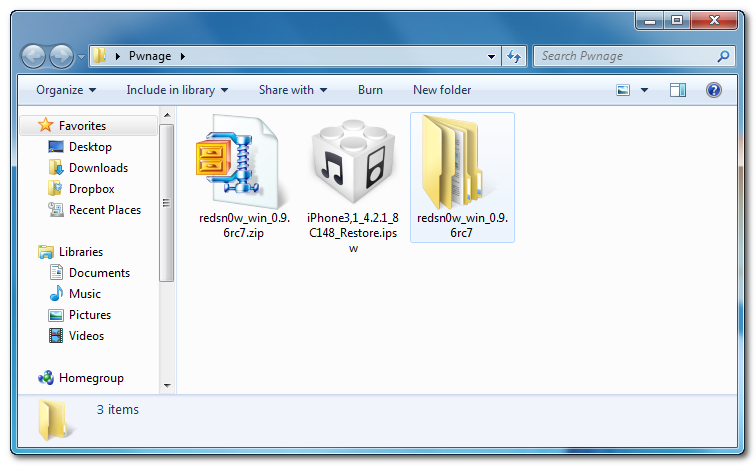
Duplim klikom na RedSn0w arhivu pokrenite i raspakirajte
Korak 3
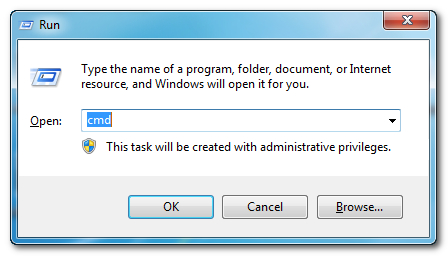
Stisnite tipku windows i R zatim odaberite cmd kako biste pokrenuli Command Prompt.
Korak 4
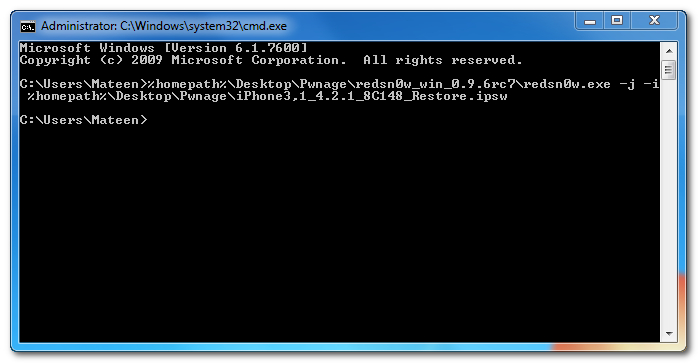
Unesite sljedeće za uređaje sa novim bootromom:
%homepath%\Desktop\Pwnage\redsn0w_win_0.9.6rc7\redsn0w.exe -j -i %homepath%\Desktop\Pwnage\iPhone3,1_4.2.1_8C148_Restore.ipsw
Unesite sljedeće za uređaje sa starim bootromom (iPod 2G, iPhone 3GS):
%homepath%\Desktop\Pwnage\redsn0w_win_0.9.6rc7\redsn0w.exe -j -o -i %homepath%\Desktop\Pwnage\iPhone2,1_4.2.1_8C148a_Restore.ipsw
**VAŽNO: Treba promijeniti ime fajla u ime fajla od IPSW datoteke koji ste preuzeli u koraku 1.
Korak 5
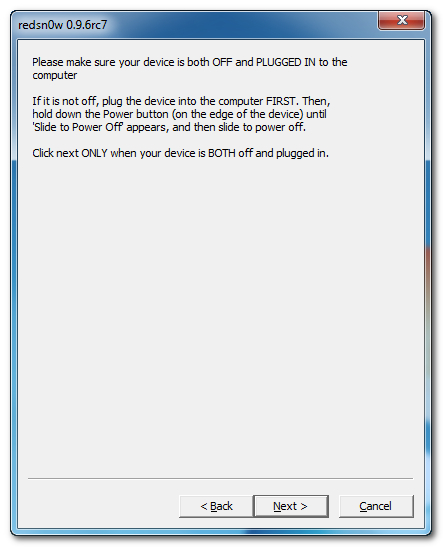
RedSn0w će se sada otvoriti, upućujući da se iPhone treba staviti u DFU mode ako već nije, i zatim napraviti boot uređaja.


4 komentara:
Hey I know this is off topic but I was wondering if
you knew of any widgets I could add to my blog that automatically tweet my
newest twitter updates. I've been looking for a plug-in like this for quite some time and was hoping maybe you would have some experience with something like this. Please let me know if you run into anything. I truly enjoy reading your blog and I look forward to your new updates.
Feel free to surf my blog :: unlock iphone 5 price
Hi there mates, pleasant article and nice arguments commented here, I am really enjoying by these.
my weblog: buy cheap twitter followers
Thank you for sharing your thoughts. I truly appreciate your efforts and
I am waiting for your further post thanks once again.
Take a look at my site :: bathroom in northern virginia
Do you have a spam problem on this blog; I also
am a blogger, and I was curious about your situation;
many of us have created some nice methods and we are looking
to swap techniques with others, why not shoot me an email if interested.
Feel free to visit my site: kitchen in northern virginia
Objavi komentar